It is now possible to send your attendees an email directly from the CrowdComms system including their badge, specifically designed to download and print at home.
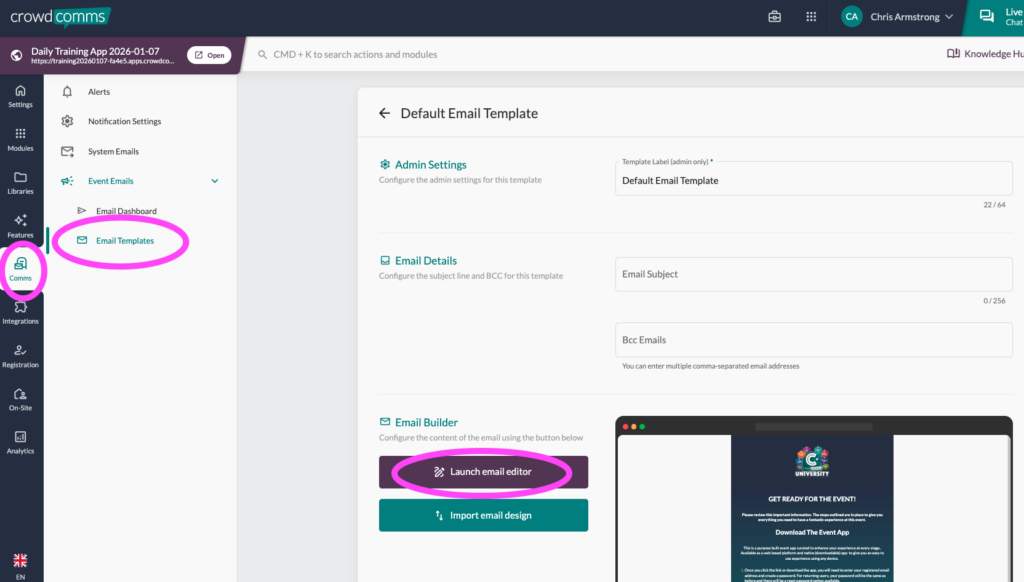
To get started, head to the Comms tab in the CC Dashboard and go to the Global Emails page. Once here, you can choose to either create a new template, or edit an existing template to add the print at home badge option.
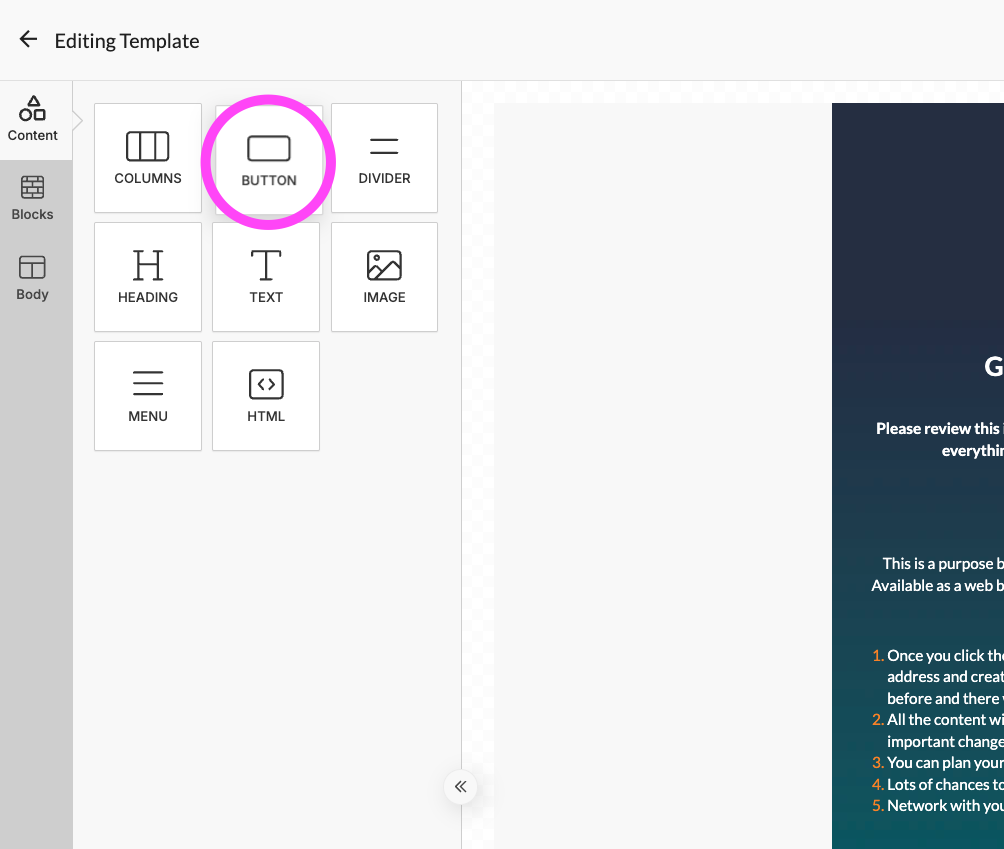
We suggest adding a “button” element to the email template by using the editor as shown in the screenshot. Once the button is in the body of the email, click the button to open the customisation menu and assign the action type ‘Home Printing URL’.