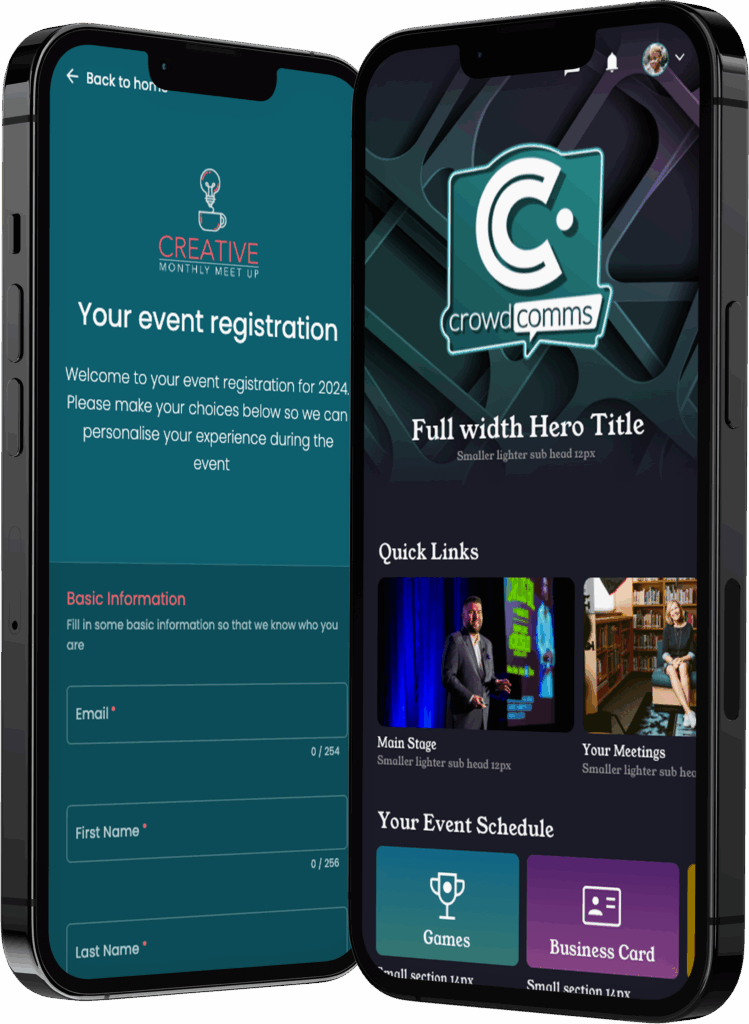
From interactive agendas and live polling to smart matchmaking and real-time updates, the CrowdComms Mobile Event App connects your audience before, during, and after your event.
Fully branded, intuitive, and built for engagement — it’s everything your attendees need, right in their pocket.


The event platform’s features are designed to make the registration process as easy and stress-free as possible for event planners and attendees. Here’s just some of what our platform offers:
Keep attendees organised and informed with real-time agendas that update instantly. Each user sees a personalised schedule tailored to their sessions, interests, and ticket type — ensuring no one misses a thing.


Bring your sessions to life with polls, Q&A, Live Chat, Interactive polls, and gamification. Create an interactive experience that keeps event audiences involved and gives speakers instant insight into the room.


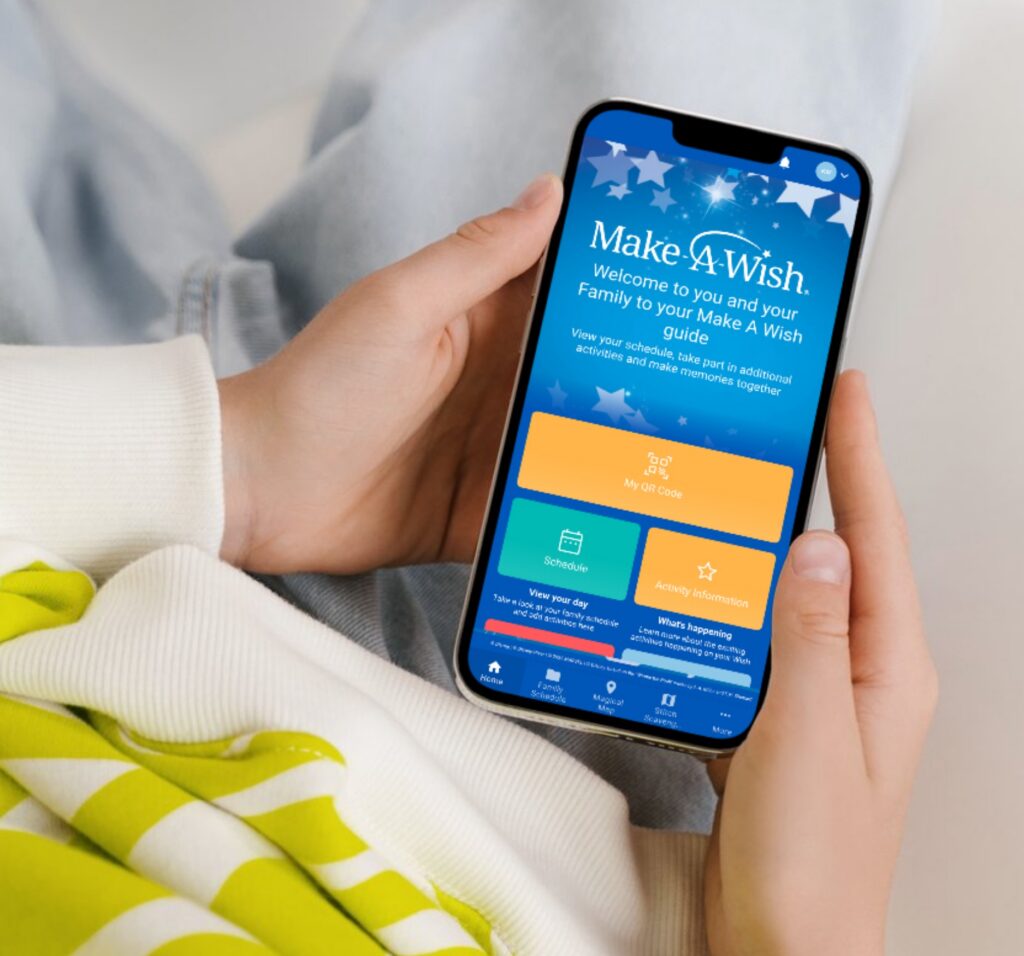
When Make-A-Wish UK brought hundreds of families together, they wanted every attendee to experience the event in their own unique way.
Using the CrowdComms Mobile Event App, they delivered personalized schedules, live updates, and interactive content that adapted in real time — helping guests connect with the moments that mattered most. The result? A seamless, inclusive experience that truly captured the magic of Make-A-Wish.
Security isn’t an afterthought; it’s at the forefront of our platform’s design and our online event registration tools.
Your data security is our top priority. With CrowdComms’ ISO-27001 and SOC2 accreditations, rest assured your event information is safeguarded to the highest standards.
Whether you’re hosting a global conference, company-wide meeting, or hybrid experience, the CrowdComms Mobile Event App is built to engage every attendee, wherever they are.
Created with the needs of event planners, organisers, and corporate teams in mind, our app combines intuitive design with powerful functionality — helping you connect people, content, and communities seamlessly.
From personalized agendas and real-time updates to live polling, networking, and post-event insights, CrowdComms gives you the tools to deliver an event app experience that’s as dynamic and interactive as your audience.
For anyone asking “what is an event app”, it is essentially a digital show guide with built-in interactivity, designed to support attendee engagement before, during, and after an event.
With strong pre-event promotion and post-event engagement, an event app can extend the life of your event well beyond the live event days themselves.
A great event app can include:
If you’re wondering “do I need an event app”, the answer is often yes if you want to elevate the attendee experience and create a more connected event journey.
Understanding when to use an event app usually comes down to how important attendee engagement, communication, networking, live updates, and event reporting are to your overall event objectives.
An event app brings everything together in one place, helping attendees stay informed while giving organisers clear visibility and reporting before, during, and after the event.
Event app cost can vary depending on the size of your event, the level of customisation required, and the features you need, but pricing is typically very flexible.
Most event app pricing models are based on the number of attendees, events, or platform licences. Costs can range from a couple of thousand pounds for a single event through to scalable packages designed for larger or recurring event programmes.
For organisers asking “how much event app solutions cost”, it is often possible to start with core functionality and then expand over time with additional features such as meeting booking, live streaming, networking, and advanced engagement tools as your event portfolio grows.
When considering event app features, it’s important to focus on tools that genuinely improve the attendee experience before, during, and after the event.
Some of the must have event app features commonly used by organisers include:
Using an event app checklist like this helps ensure the platform keeps attendees informed, engaged, and connected throughout the full event journey.
There isn’t one single best event app, as different events require different functionality, experiences, and levels of engagement.
However, many top event apps 2026 comparisons and best event apps ranking lists agree that the strongest platforms are those that are easy for attendees to use, powerful for networking and engagement, and highly effective for organisers behind the scenes.
Ultimately, the “best” app is the one that most smoothly fits your event style, audience, and objectives – which, more often than not, is the CrowdComms app.
CrowdComms helps organisers build event app no code platforms quickly and easily without needing technical expertise.
Organisers can add branding, upload agendas and speaker profiles, manage content, and switch features on or off with just a few clicks – no technical skills required.
CrowdComms acts as a powerful no code event app builder, making it easy for teams to create and manage a fully branded DIY event app with confidence.
CrowdComms provides multiple ways for attendees to download event app platforms and access event content quickly and easily.
Attendees can access the CrowdComms platform through:
These different access options help simplify how attendees find event app experiences while making accessing conference app content as seamless as possible.
Absolutely! A branded event app can be fully customised to match your event identity, and CrowdComms makes the process simple through its intuitive CMS.
Organisers can quickly apply logos, colours, fonts, layouts, and tailored content while managing everything from one central platform.
This allows teams to create a fully custom event app experience and deliver a professional white label event app without needing technical expertise.
Strong event app attendee engagement comes from giving attendees one easy place to explore the agenda, network, join live polls, Q&A sessions and games, while accessing updates and event content throughout the experience.
These features help attendees actively participate rather than simply attend, helping organisers boost engagement event app experiences across the full event journey.
The CrowdComms CMS also makes it easy for event planners to manage these features in just a few clicks, helping improve overall event app ROI engagement without creating additional workload for the event team.
In a native vs web event app comparison, a native app is downloaded directly from the Apple App Store or Google Play and provides a more traditional app experience, including Push notifications.
By comparison, an event app vs web app setup using a web-based platform allows attendees to access the event instantly through a browser link without needing to download anything, making access quicker and easier.
A progressive web app event experience sits somewhere in between, offering a browser-based solution that can still be added to a user’s home screen for a more app-like experience.
While web-based apps can still send alerts through in-app pop-ups and emails, Push notifications are typically only available through native apps.
An offline event app will typically offer only limited functionality, if any at all, when not connected to the internet.
Most modern event app features rely on continuous real-time updates, including networking, messaging, live polling, notifications, analytics, and content synchronisation. Because of this, an event app without wifi will usually not function as intended across the full attendee experience.
While some basic information may remain cached locally, a fully connected internet experience is generally required for an offline conference app to operate correctly and deliver the best attendee experience.
Yes – event app push notifications are supported through the CrowdComms native iOS and Android apps, allowing organisers to send instant updates, reminders, and alerts directly to attendees’ phones.
These types of conference app notifications are a quick and effective way to keep attendees informed, updated, and engaged throughout the event experience.
All event alerts app messaging can be easily managed directly through the CrowdComms CMS.
Event app Q&A polling features make sessions far more interactive by allowing attendees to ask questions live during sessions and vote up questions submitted by other attendees.
Attendees can also take part in live polls event app experiences directly from their phone, making it easy for everyone to participate without interrupting the session flow.
For organisers, the process is simple to manage. Questions can be moderated through external links, polls can be created and launched through the CMS, and results can be shared instantly through customisable displays, creating a highly engaging audience Q&A app experience.
Yes – event app sponsorship is a great way to generate additional event revenue, and CrowdComms makes it easy to monetise event app experiences through a wide range of sponsor opportunities.
Sponsors can invest in branded banners, sponsor profiles, sponsored notifications, sponsored sessions, and interactive in-app engagement features that increase visibility throughout the attendee journey.
With the reporting, analytics, and engagement statistics available through the platform, it also becomes much easier to demonstrate sponsor value and ROI when you sponsor event app activity.
You can measure event app ROI by tracking clear engagement data such as app usage, session views, networking activity, sponsor interactions, and gamification or incentive challenge participation.
This includes understanding how many attendees actively joined in, completed activities, earned points, interacted with sponsors, and engaged with event content throughout the experience.
The CrowdComms platform makes it easy to measure event app success by showing exactly which features delivered the highest engagement and value through simple reporting dashboards and event app analytics ROI insights that can be shared with stakeholders and sponsors.
An event app single day event setup can still add significant value by keeping attendees informed, engaged, and connected throughout the event experience.
With strong pre-event promotion and a post-event communications plan, the app can extend the life of your event far beyond the live show day itself.
Even smaller events can benefit from features such as agendas, live updates, Q&A, polling, networking, and sponsor visibility, helping a short event feel more organised, interactive, and professional.
A well-designed one day event app can also help streamline communication and improve the overall attendee experience without adding unnecessary complexity for organisers.
Yes, a multi event app setup can absolutely be used across multiple events, although it is not always the best fit for every event portfolio.
If each event has its own branding, audience, or objectives, separate apps can provide a cleaner identity and fresh analytics for each experience. However, if your events share branding, content, and attendee journeys, using a single app across multiple events can work extremely well.
Ultimately, the decision to reuse event app experiences depends on how your events are structured and what you want to achieve across your wider event programme.
We take event app GDPR responsibilities extremely seriously across every part of the CrowdComms platform.
All personal data is handled transparently, securely, and only for clearly agreed purposes, with user consent and control considered at every stage of the attendee journey.
Our approach to event app data protection and event app privacy focuses on minimising the data collected, protecting it through strong security measures, and giving attendees clear visibility and control over their personal information.
When comparing an event app vs mobile website, the main difference is the level of attendee engagement and interactivity each platform provides.
In an event website vs event app comparison, an event app delivers a more personalised and interactive experience through features such as personalised agendas, push notifications, live polling, networking, and in-app messaging.
A mobile website, on the other hand, is quicker to access because no download is required, making it ideal for sharing basic event information. However, it typically offers a simpler and less engaging experience overall compared to a dedicated event app.
When considering how long to build event app experiences, there are a few key factors that will influence the timeline:
An experienced CrowdComms user can often build an app within just a few weeks, while someone newer to the platform should allow additional time for setup and content preparation.
As a general guide, it is sensible to allow around 2-3 months for the overall launch event app timeline, although projects can move much faster when branding, content, and assets are already prepared.
Event app gamification is a great way to boost attendee engagement by allowing organisers to gamify event app experiences through points, challenges, rewards, and interactive activities.
Organisers can incentivise behaviours such as networking, visiting exhibitors, attending sessions, completing quizzes, or engaging with sponsors, helping drive early app adoption and stronger attendee participation.
Features such as a leaderboard event app experience also add a fun and competitive element that encourages attendees to stay actively involved throughout the event journey.
If you’re exploring event app alternatives, there are plenty of strong options available depending on your event goals, audience, and feature requirements.
Some popular Whova alternative and Cvent event app alternative platforms include vFairs, EventMobi, and Swapcard, all of which offer a range of engagement and event management features.
However, for organisers looking for a more flexible, user-friendly, and fully supported solution, CrowdComms is often considered a strong alternative thanks to its combination of deep customisation, expansive feature set, dedicated support, and all-in-one approach to event technology.
An event app app store listing is not always required for attendees to access your event content.
If you choose not to publish event app stores versions, attendees can simply access the platform through a browser using a custom URL. Alternatively, a Progressive Web App (PWA) can be provided, delivering a smooth, app-like experience without requiring any download.
For events that do require native apps, CrowdComms can also support deployment through the Apple App Store and event app Play Store distribution channels.
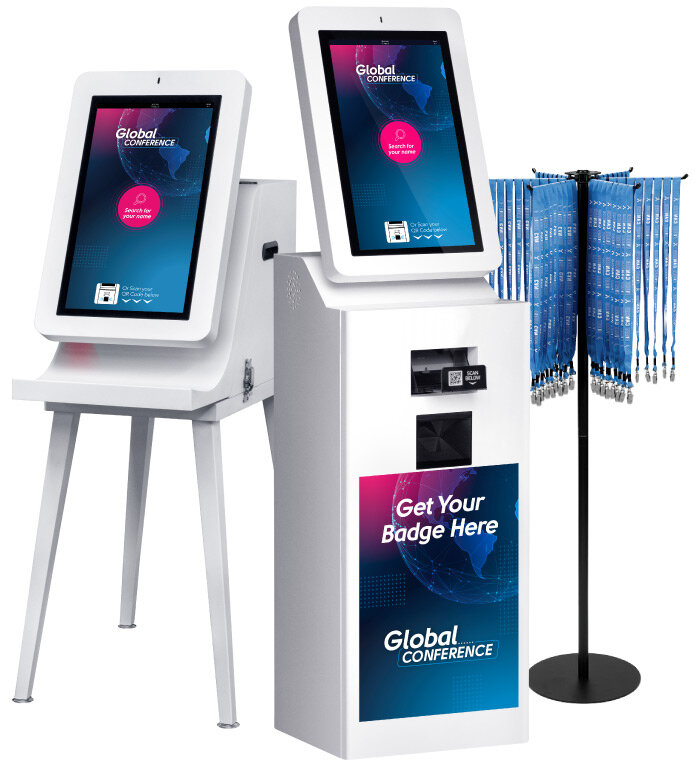
Get your in-person events off to a flying start, with our integrated onsite badge solutions.
Compact, lightning-fast and brandable, registering attendees and printing event name badges couldn’t be any smoother.
Our Onsite Badges solution, detailed here, is designed to maintain the integrity of your event’s professional atmosphere.