With CrowdComms Lead Capture, exhibitors and organizers can effortlessly collect, qualify, and manage leads right from the show floor. No more paper forms or delayed follow-ups. Our mobile and web-based app makes it simple to scan badges, enrich lead profiles with notes, and instantly sync data to your dashboards.
Turn every interaction into an opportunity—and every opportunity into results.


Capture leads in seconds with intuitive scanning tools.
Provide your exhibitors with technology that enhances their event success.
Empower teams to connect with prospects, qualify interest, and fast-track follow-up.
Turn event conversations into measurable sales opportunities.
Customization and flexibility are at the heart of every feature.
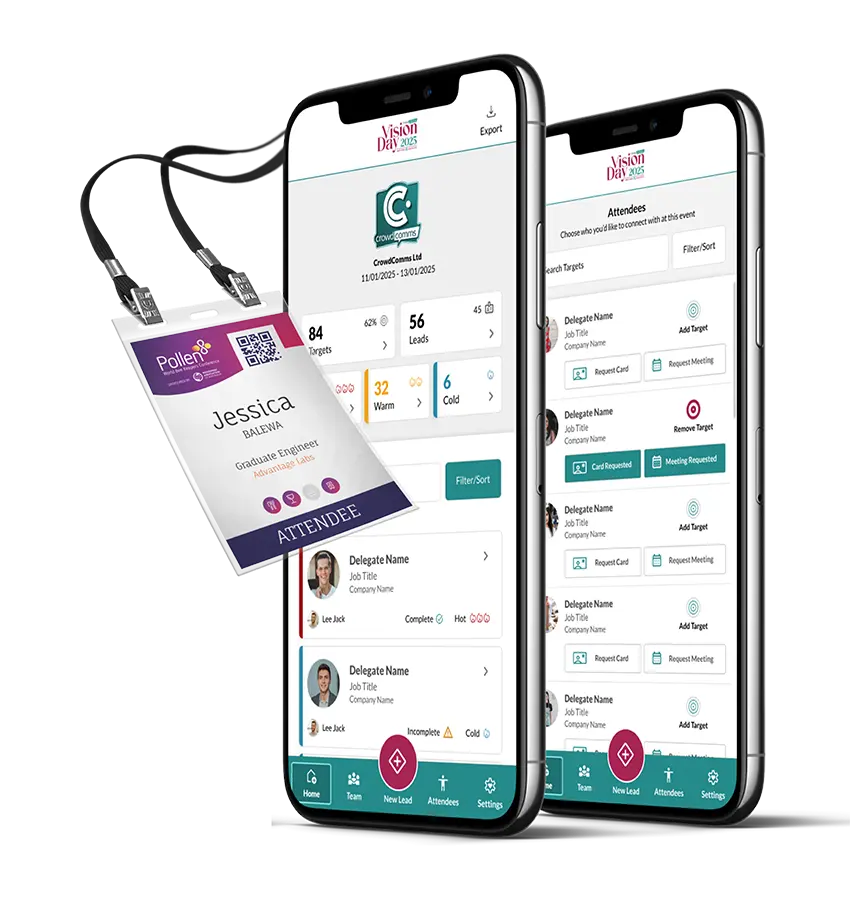
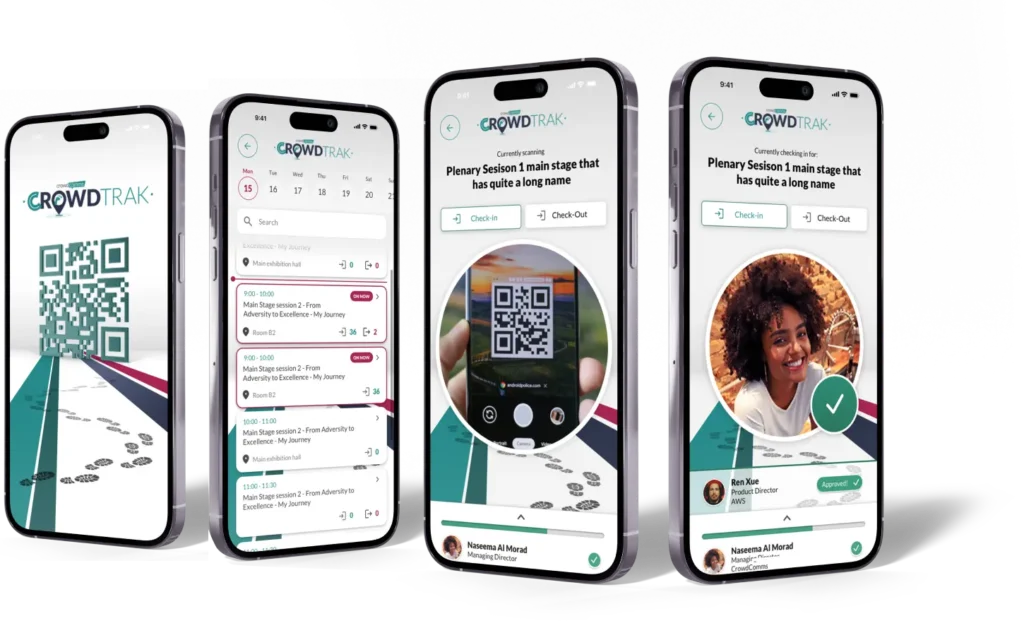
Scan QR codes or NFC badges to capture leads on the spot—no extra hardware required.
Add notes, apply custom tags, and rate leads to prioritise hot prospects.
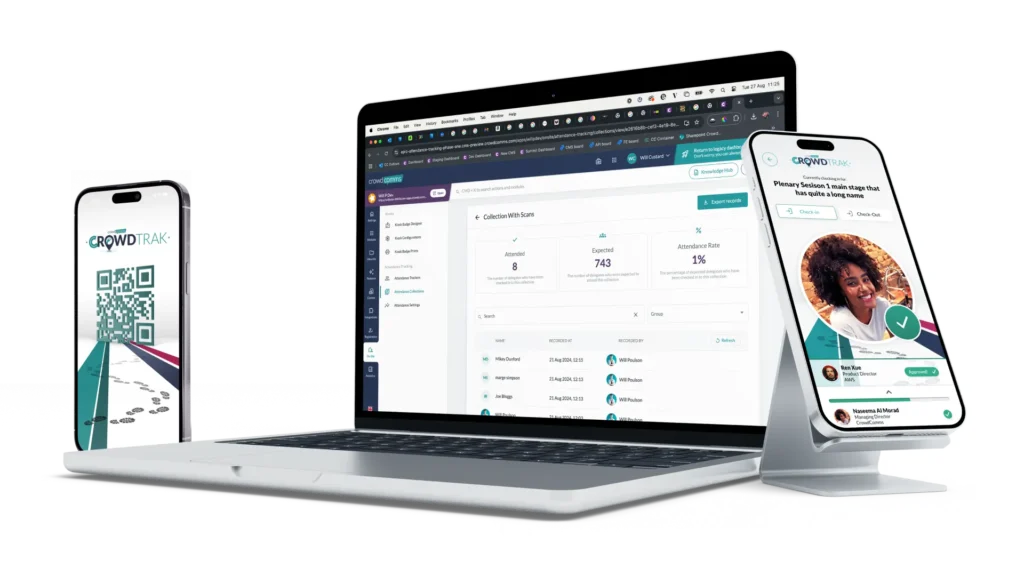
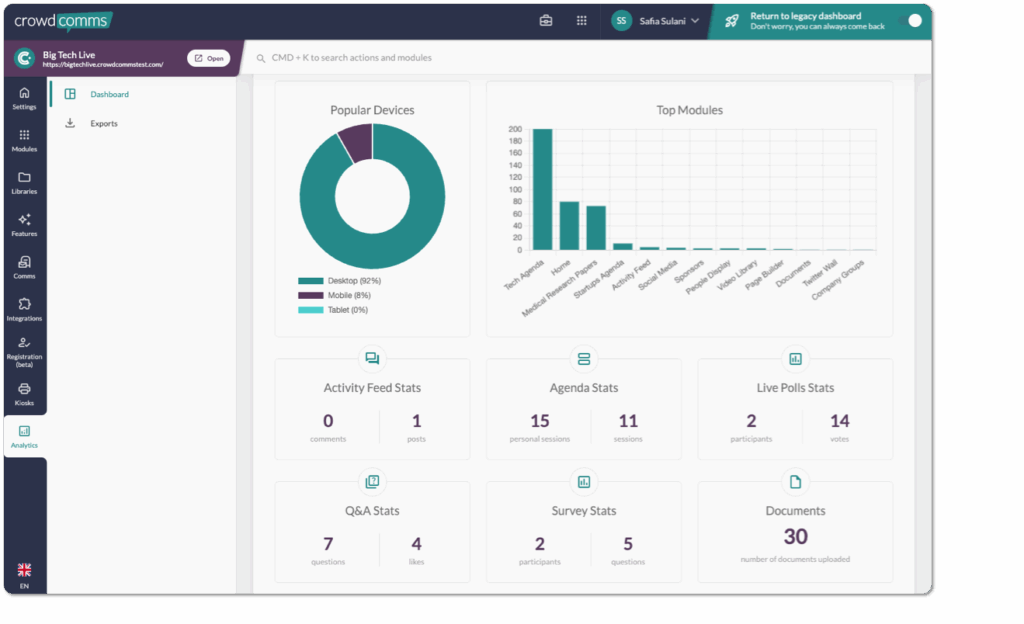
All data is instantly available in a centralized dashboard, ensuring teams are always aligned.
Easily export captured leads in compatible formats for quick upload into your existing CRM.
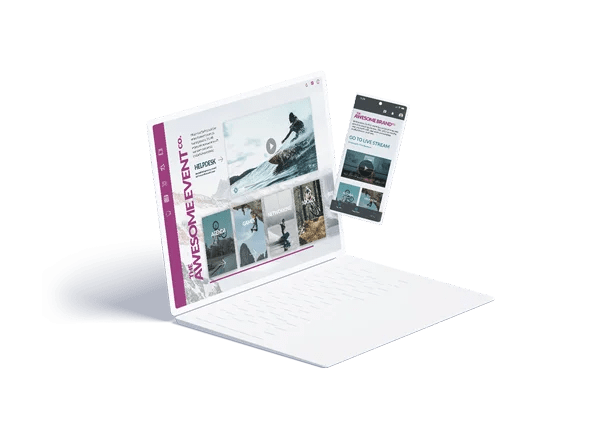
Works on both mobile and desktop—no setup headaches, no technical barriers, just easy to use lead capture.
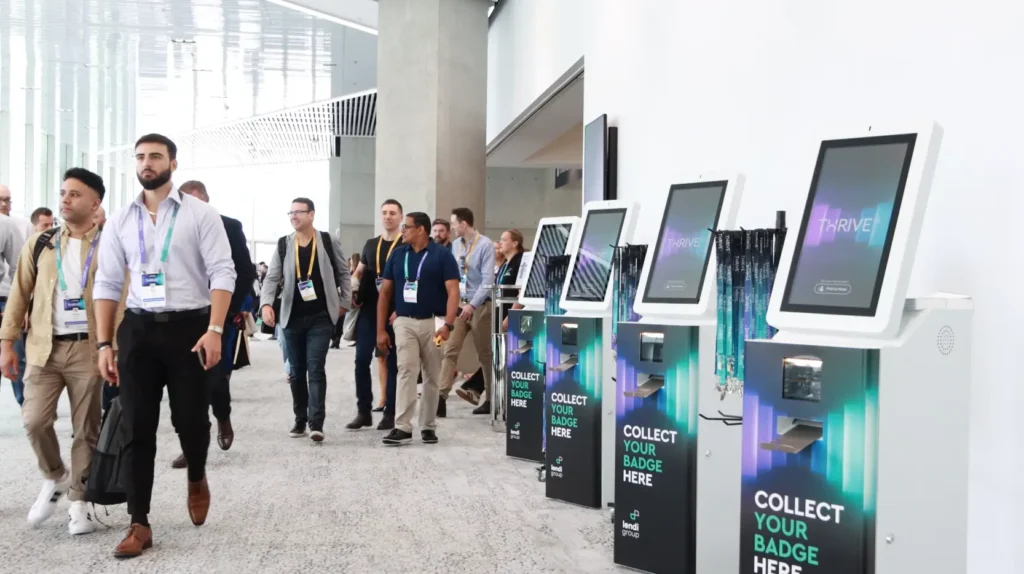

Scan badges with a mobile or desktop app.
A lead tracking app allows exhibitors, sponsors, and sales teams to capture attendee information when attending an event.
For anyone wondering what is a lead tracking app, it is a tool designed to work alongside onsite badge printing and event apps, enabling users to scan attendee badges, capture lead data, and manage post-event follow-up activities.
The CrowdComms event lead tracking solution also allows users to answer qualifying questions, rate leads, add notes, and export data directly from their own device, helping teams prioritise and follow up on the most valuable opportunities.
If you’re interested in lead tracking app how it works, it starts with a simple badge or QR code scan.
At an event, exhibitors can scan an attendee’s badge or QR code to instantly capture their details, then add notes, tags, qualifying responses, and follow-up actions all in one place.
Information is saved automatically and can be synchronised with CRM systems, making lead management much more efficient.
This streamlined lead retrieval app workflow allows exhibitors to access, manage, and export their leads whenever they need them.
The best lead capture app is one that makes it easy for exhibitors to capture, qualify, and follow up on leads without adding complexity to their event experience.
A top lead retrieval app should provide easy access through either a native app or a web-based link, while allowing users to add qualifying questions, notes, lead ratings, and follow-up actions directly within the platform.
The best exhibitor lead app will also support real-time data export, enabling sales teams to follow up quickly during or immediately after the event while leads are still fresh.
Lead retrieval app cost is typically priced at £1,000 per 10 exhibiting companies, with unlimited access provided for exhibitor representatives within each company.
When comparing lead capture app price options, it is important to consider not only the number of exhibiting companies but also the number of users included and the lead qualification features available.
Yes. The lead tracking app badge scan process allows exhibitors to capture attendee information in real time by scanning event badges directly from their device.
The app can scan conference badges using the badge QR code, enabling either a quick scan for rapid lead capture or a qualified scan where additional questions, notes, and lead ratings can be completed at the point of interaction.
This QR badge lead capture process helps exhibitors collect richer lead data while keeping the experience fast and efficient.
Exhibitors can easily follow up event leads by exporting data captured through the lead retrieval app and using it for post-event sales and marketing activities.
For effective post event lead follow up, administrators can request an export containing all leads collected across their team, while standard users can export only the leads they personally captured.
This approach helps support exhibitor lead follow up processes by ensuring managers have visibility of all leads and can coordinate timely engagement after the event.
Lead tracking app data can include attendee information such as name, email address, telephone number, job title, and company details.
Additional lead capture fields can also be configured by the exhibitor or organiser. These may include qualifying questions, tags, follow-up actions, notes, and lead scoring criteria.
This flexibility allows exhibitors to collect the information most relevant to their sales and follow-up processes.
Yes. Lead tracking app Salesforce HubSpot integrations are important for ensuring valuable lead data is retained within your existing CRM and sales processes.
This is typically achieved in one of two ways. The first is through a simple export of lead data from the Exhibitor Lead Capture Hub, allowing teams to import information into their CRM manually. The second is through lead capture CRM integration, where lead data is transferred directly into the CRM of choice.
An event lead Salesforce sync can help streamline follow-up activities by ensuring lead information is available to sales teams quickly and accurately after the event.
Lead tracking app ROI is easier to measure when exhibitors can connect lead activity directly to pipeline creation and sales outcomes.
CrowdComms allows exhibitors to define target products, deal values, conversion rates, and compare performance across team members. This creates a clear lead app ROI calculation by showing the value of opportunities generated and who generated them.
By combining this visibility with a structured follow-up process, exhibitors can better demonstrate exhibitor ROI events performance while giving their sales teams the best opportunity to convert leads into revenue.
Lead capture vs lead retrieval is a simple distinction.
Lead capture is the process of actively collecting information, such as scanning a badge or having a visitor complete a form.
The lead retrieval definition is the system used to access, export, and manage that data, allowing your sales team to follow up effectively.
Yes. The CrowdComms platform is designed around a lead tracking app BYOD (Bring Your Own Device) approach, allowing sponsors and exhibitors to use their own devices for lead capture.
This makes the process easier for users as they are already familiar with their own phone or tablet.
Using exhibitor phones lead app functionality also removes the need for additional hardware, helping teams get started quickly and capture leads efficiently throughout the event.
Yes. CrowdComms supports real time lead qualification, allowing exhibitors to fully assess and categorise leads while they are still at the event.
This includes qualifying questions, tags, actions, and lead scoring, all completed directly within the app during the scanning process.
The platform includes lead scoring event app functionality, allowing users to choose between a quick scan for rapid lead capture or a qualified scan for more detailed lead assessment.
The ability to score event leads is a key feature of modern lead capture apps, helping exhibitors prioritise follow-up activities after an event.
Different organisations use different approaches to lead scoring events, including numerical scores, percentages, or simple hot, warm, and cold classifications depending on their sales process and reporting requirements.
This flexibility allows teams to assess lead quality consistently and focus their efforts on the opportunities most likely to convert.
Yes. CrowdComms supports an offline lead capture app, allowing exhibitors to continue capturing leads even if their internet connection drops during a busy event.
Attendees can still be scanned and lead data can continue to be collected without interruption.
Once connectivity returns, the offline event lead capture data is automatically synchronised back to the platform, with lead qualification and follow-up information able to be completed after the sync has taken place.
Lead tracking app data security is taken extremely seriously at CrowdComms.
The data captured through Lead Capture is protected by the same robust security processes and accreditations that support the wider CrowdComms platform. This includes ISO 27001 certification, SOC 2 compliance, and a team experienced in working with some of the world’s most data-sensitive organisations.
This commitment to secure lead capture helps ensure exhibitor and attendee information is protected, while supporting the requirements of a GDPR lead app environment.
A business card scanner lead app is not the primary purpose of most lead capture platforms. Instead, they are designed to scan attendee badges and capture accurate attendee data instantly.
Users can still add notes, tags, actions, and even attach photos to lead records so important information is not lost.
Unlike OCR lead capture tools that read information from printed business cards, lead capture apps are designed to scan QR codes and retrieve structured attendee data directly from the event registration system.
“Yes. Most lead capture platforms support custom qualifying questions lead app functionality, making it easy to tailor lead collection to the objectives of each event.
You can create your own qualifying questions event lead capture process by adding questions, tags, follow-up actions, budget indicators, buying timelines, and other criteria that are important to your sales team.
These custom fields lead app options allow exhibitors to capture richer information alongside each lead, helping teams qualify and prioritise prospects while they are still at the event.”
Yes. Some lead tracking apps can track stand visit duration, but typically only when paired with technologies such as RFID or NFC.
These solutions record when an attendee arrives at and leaves a stand, providing valuable insight into visitor engagement.
This type of stand visit time tracking helps exhibitors better understand attendee behaviour and identify which interactions generated the strongest interest.
The easiest way to create lead tracking reports is to pull your lead data into a dashboard or export the raw data for analysis.
An event lead report should focus on key metrics such as total leads captured, lead quality, engagement levels, and conversion opportunities. From there, you can highlight performance trends and identify areas for improvement.
Using an exhibitor lead dashboard makes it easy to present results visually, helping stakeholders quickly understand what worked, what generated the strongest leads, and the overall ROI from the event.
Lead data after event activities typically involve syncing or exporting lead information into a CRM, where it can be organised, scored, and assigned for follow-up.
This post event lead data is then used by sales and marketing teams to prioritise high-value opportunities, nurture prospects, and track outcomes from event conversations.
Appropriate lead data retention events policies should also be followed to ensure information is stored, managed, and processed in line with company policies and relevant data protection requirements.
Yes. Achieving lead tracking app GDPR compliance is absolutely possible, but it depends on how the platform is configured and used.
As with any GDPR lead capture process, organisations should ensure they have appropriate attendee consent, transparent data usage policies, and secure data storage procedures in place.
With the right processes and controls, a lead tracking app can help organisations manage attendee data responsibly while meeting GDPR requirements.