
Overview #
Receipts allow event organisers to automatically issue proof of payment to registrants after a registration payment has been completed.
When enabled, a receipt email is automatically triggered and sent to the registrant, including a PDF copy of the receipt for their records.
Receipts provide registrants with a clear summary of their completed transaction and confirmation that payment has been successfully received.
Event administrators have full control over receipt branding and content through the Receipt Builder, allowing receipts to align with event and company branding requirements.
This feature also supports optional VAT configuration, including the ability to:
- Remove the VAT line item from receipts
- Set a VAT reference number for the business
Administrators can also manually re-issue receipt emails directly from the CMS when required.
Receipts work alongside existing invoice payment flows. If an invoice is marked as paid and the receipt issued email rule is enabled, a receipt will also be issued to the registrant.
Prerequisites #
To use the receipts feature you must have the following enabled
- Registration
- Payments
- New Registration Emails
- A Payment Integration
Getting Started #
To begin using Receipts, log into the CMS and navigate to the Registration tab on the left side menu. Within the secondary menu, select Receipt Settings.
By default, Receipts are disabled, you can toggle them on within this page.
When enabling the feature for the first time, the platform will automatically:
- Create the default receipt rules
- Create the default receipt email template
- Create the default receipt PDF template
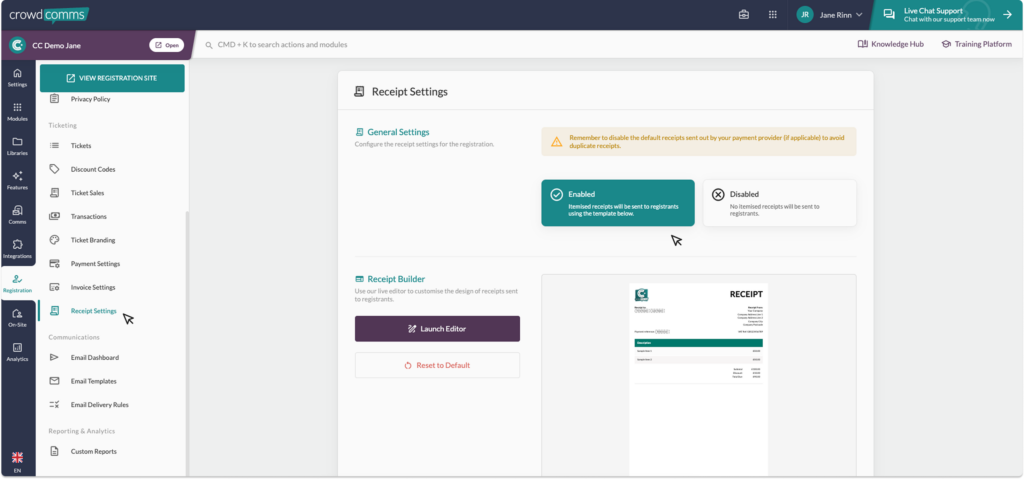
Receipt Builder #
Creating your receipt is simple with the Receipt Builder.
Start with the default template and customise the layout and branding to suit your event requirements.
Your receipt PDF template can be updated to include relevant business and transaction information, ensuring registrants receive a professional proof of payment document after purchase.
Dynamic content can be used within templates to ensure each receipt contains registrant-specific transaction details.
Emails #
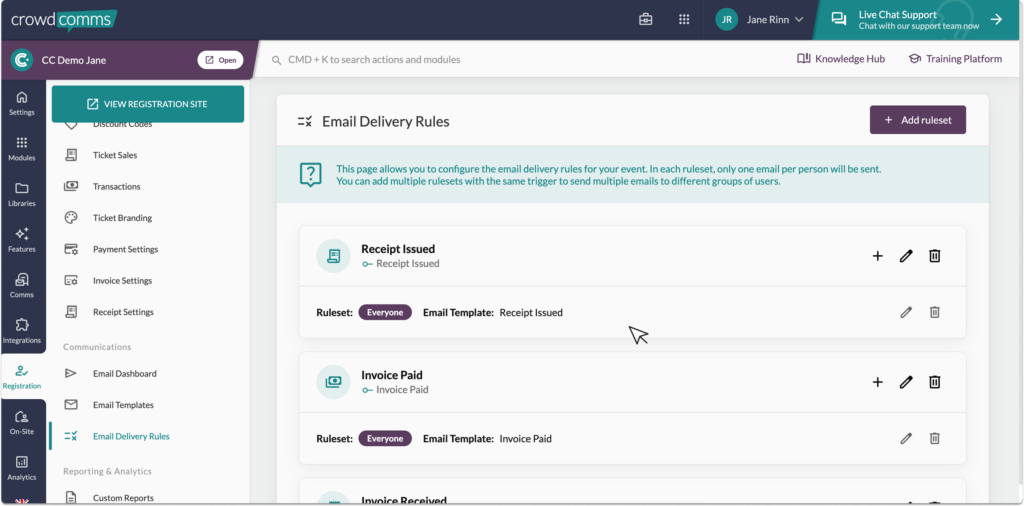
Receipts use dedicated email rules and templates within Registration Emails.
When enabled, the platform creates the default “Receipt Issued” email rule and template automatically.
- It should be noted the initial receipt email template cannot be tailored to specific groups and will be sent to all recipients who complete a payment. Any subsequent receipt emails sent after a person has registered can be re-issued, with the email template customised for specific groups as needed.
Receipt emails can also be manually re-issued from the CMS if required.
Please note #
- If you are using an external payment provider, receipt emails may also be sent directly by the payment provider itself. To avoid duplicate receipt emails being sent to registrants, you may need to manually disable receipt emails within your payment provider settings.
- Receipts are only available on Apps using the New Registration Emails Sytem.


