
Spreadsheet-based CPD administration is a time drain for association staff and a frustrating experience for members. Here is what modern event-integrated CPD tracking looks like, and how to get there.

Every professional association running a CPD programme knows the post-conference ritual. Attendance sheets are reconciled. Session records are checked. Staff manually enter hours into spreadsheets, cross-reference against member profiles, and begin the process of generating and sending certificates. Weeks after the event, questions are still arriving from members who cannot find their certificate or whose record looks wrong.
It is a significant amount of effort for something that should, in 2026, be entirely automated. Yet the majority of associations still manage CPD tracking through a combination of spreadsheets, manual processes, and ad hoc workarounds that were never designed to handle a programme of scale.
This is not a niche problem. CPD tracking is often the single most time-intensive administrative task an association team manages after a major conference. And for members, the quality of the CPD experience has a direct bearing on their perception of the association’s value. Getting it right matters operationally and commercially.
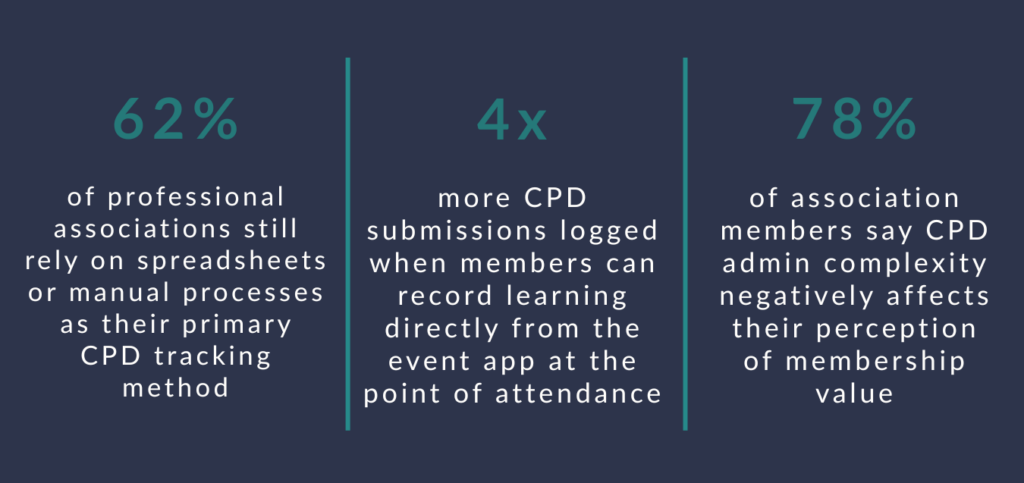
Why are spreadsheets failing associations for CPD tracking at scale?
Spreadsheets were not built to handle the combination of real-time attendance data, personalised member records, certificate generation, and compliance reporting that a modern CPD programme requires. They work reasonably well for small programmes with a limited number of events and members. They break down quickly when the programme grows.
The practical problems associations encounter include:
- Manual data entry after every event: Someone on the team has to transfer attendance records from sign-in sheets or exported reports into the CPD spreadsheet. For a conference with 50 sessions and 500 attendees, this is days of work, not hours.
- Self-reported attendance errors: When members claim CPD hours rather than having them automatically logged, there is inherent inaccuracy. Members misremember which sessions they attended, overestimate their time in room, or submit records months after the event.
- No member-facing visibility: Spreadsheets sit with the association team. Members cannot check their own CPD balance in real time, which generates a steady flow of enquiries to the membership team throughout the year.
- Certificate generation is manual: Producing personalised certificates for hundreds or thousands of members, each with different session combinations and CPD totals, is time-consuming and error-prone when done manually.
- Audit trail limitations: When a member challenges their record or a regulator requests evidence of CPD compliance, a spreadsheet provides a weak audit trail. There is no timestamp, no verification of attendance, and no record of when entries were made or changed.
“The spreadsheet does not break on day one. It breaks on year three, when you have 12 events, 2,000 members, and a team that is spending two weeks after every conference just catching up on data entry.”

What does CPD tracking actually involve for a professional association?
CPD tracking for a professional association involves recording, verifying and reporting member learning activity in a way that is accurate, auditable, and useful to both the member and the association. At its core, this means connecting three things: what sessions or learning activities were available, who attended them, and how many CPD hours each attendance is worth.
In practice, the full scope of CPD administration includes:
- Session accreditation: Before an event, each session that carries CPD value must be assigned a CPD hour value, which may be set by the association, an external accrediting body, or both. Some associations work with multiple CPD frameworks simultaneously, which adds complexity.
- Attendance verification: At the event, there must be a reliable method for recording which members attended which sessions. Self-reporting is the least reliable method. Physical sign-in sheets improve accuracy but create a data entry burden. Digital check-in via app is the most accurate and creates an instant, auditable record.
- Record updating: After the event, each member’s CPD record must be updated to reflect their attendance. This needs to happen in a reasonable timeframe so that members can access their updated balance promptly.
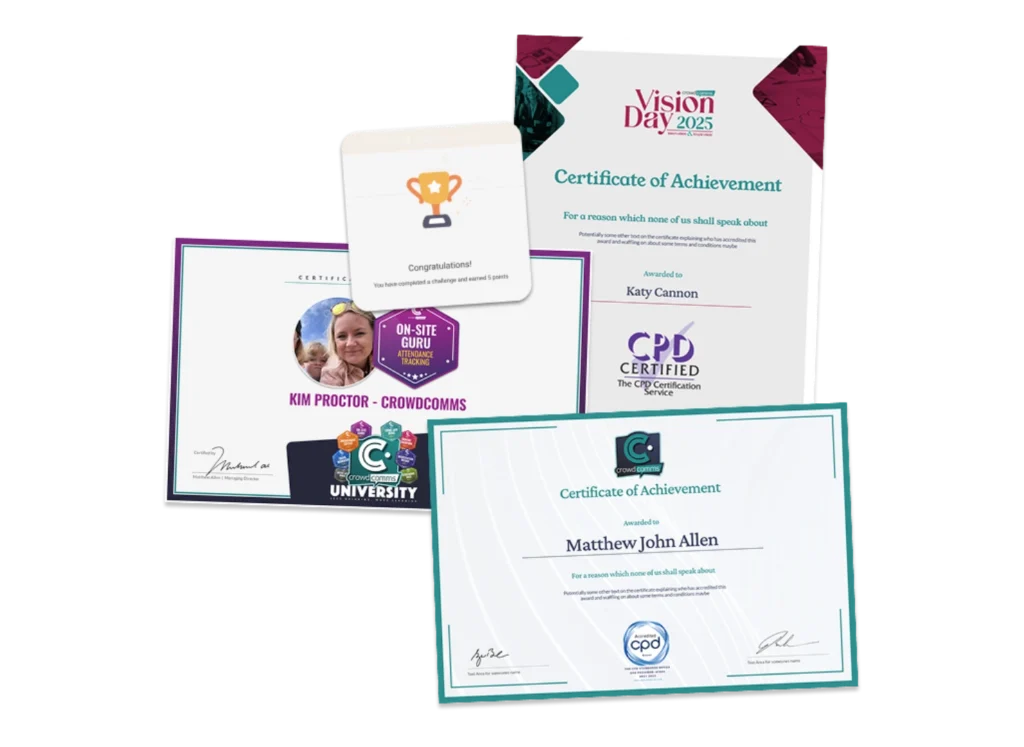
- Certificate issuance: Members need a record of their CPD activity that they can provide to their employer, professional regulator, or use as evidence of engagement. Digital certificates issued promptly after an event are now the expected standard.
- Annual compliance reporting: Many associations need to report CPD compliance rates to their governing body, board, or regulator. This requires aggregated, accurate data across all events and all member segments throughout the year.
How does event-integrated CPD tracking work?
Event-integrated CPD tracking connects session attendance data from the event app directly to the member’s CPD record, eliminating the manual step between what happened at the event and what is recorded against the member’s profile. The result is accurate CPD records that update in real time, without any post-event data entry.
HOW IT WORKS: FROM SESSION TO CERTIFICATE
- Setup: During event build, each session is assigned a CPD value and marked as accredited. This takes seconds per session and is managed within the event platform.
- Check-in: When a member arrives at a session, they check in via the event app, a QR code scan at the door, or an NFC badge tap. The attendance is logged instantly against their profile.
- Real-time update: The member’s CPD balance updates as they move through the event. They can view their running total at any point during the conference.
- Post-event certificate: At the end of the event, or once a CPD hour threshold is crossed, the platform automatically generates a personalised certificate and sends it to the member via email.
- Record sync: CPD data is synchronised to the association’s membership management system, ensuring a complete and up-to-date record for every member without any manual transfer.
The key shift is that data flows automatically rather than being entered manually. Association staff are not involved in the process between a member checking into a session and that attendance appearing in the member’s CPD record. The system handles it.
What should associations look for in CPD management software?
The most important question for associations evaluating CPD software is whether it is built into the event platform or sits alongside it as a separate system requiring manual data transfer between the two. A CPD module that is genuinely integrated with the event app will always outperform a standalone CPD tool that receives data by export, because any manual step between the event and the CPD record introduces delay, error, and administration overhead.
Beyond integration, the features that matter most for association CPD programmes are:
- Session-level CPD hour assignment: The ability to set different CPD values per session within the same event, including partial credit for sessions of different lengths and different accreditation frameworks.
- Multiple check-in methods: QR code scanning, NFC badge tap, and manual check-in by staff for members without a phone. All three will be needed for large conferences with diverse attendee demographics.
- Member self-service portal: A dedicated area within the member app or website where members can view their current CPD balance, download past certificates, and see a full history of their recorded learning. This is the single biggest reducer of post-event enquiries to the membership team.
- Automated certificate generation: Personalised digital certificates produced without staff involvement, including the association’s branding, the member’s name and details, and a breakdown of the sessions attended and hours awarded.
- Bulk reporting for association staff: The ability to generate CPD compliance reports across the full membership, filtered by member segment, event, or date range. Essential for board reporting, regulator submissions, and identifying members at risk of non-compliance before renewal time.
- Membership system integration: API connectivity to the association’s membership management system so that CPD records are synchronised automatically rather than exported and re-imported manually.

How do associations track CPD across in-person, virtual and hybrid events?
The challenge for associations running programmes across multiple event formats is ensuring that CPD records are consistent and accurate regardless of how a member participated. A member who attended a session in person should receive the same CPD credit as a member who watched the same session via live stream, and both records should end up in the same place without manual reconciliation.
Modern event platforms handle this through format-specific attendance methods that all feed the same CPD engine:
- In-person sessions: Attendance logged via app check-in or physical QR code scanning at the room entrance. The timestamp provides an auditable record of when the member arrived.
- Virtual sessions: Attendance tracked through login to the live stream, with optional minimum watch-time requirements before CPD credit is awarded. This prevents members from logging in and immediately switching away from the session.
- On-demand content: For associations offering CPD credit for recorded sessions after the event, completion tracking can log when a member has watched a session in full and automatically award the associated CPD hours.
- External learning: Some association CPD programmes allow members to claim hours for learning completed outside the association’s own events. A self-reporting workflow within the member portal, with optional evidence upload, can handle this within the same system rather than requiring a separate process.
“When a member’s CPD record reflects everything they have done, across every format, without them having to manually log any of it, the association’s CPD programme becomes a genuine benefit rather than an administrative burden.”
What does good CPD reporting look like for members and association staff?
Good CPD reporting gives both the member and the association team an accurate, real-time view of CPD status without requiring anyone to request it, compile it, or chase it. The best implementations make CPD information as easy to access as checking an email, rather than a process that requires contacting the membership office.
For members, good reporting means:
- A real-time CPD balance visible in the event app and member portal, showing hours completed to date against the annual requirement.
- A session-by-session breakdown of all recorded learning, including event name, session title, date, and CPD hours awarded.
- Downloadable certificate history, accessible at any time, so members can retrieve past certificates without contacting the association team.
- Progress notifications, alerting members when they reach key milestones or when their annual renewal is approaching and they have a shortfall to address.
For association staff, good reporting means:
- Compliance dashboards showing the percentage of members who have met their annual CPD requirement, broken down by membership category and region.
- At-risk member identification, flagging members who are unlikely to meet their annual requirement based on current progress, enabling proactive outreach before renewal.
- Event-level CPD summary reports showing total CPD hours awarded per event, average hours per attendee, and session-by-session attendance for post-event reporting to accrediting bodies.
- Export capability for data that needs to be shared with external regulators, governing bodies, or reported in the association’s annual review.
How do associations automate CPD certificate generation?
Automated CPD certificate generation removes one of the most time-consuming post-event tasks from the association team’s workload by producing personalised certificates without any staff involvement. For a conference with 800 attendees, the difference between manual certificate generation and automated generation can be measured in days of staff time.
A well-implemented automated certificate process works as follows:
- Certificate templates are set up once within the event platform, incorporating the association’s logo, colours, and any required accreditation statements. Templates can vary by event type or CPD framework if needed.
- Trigger conditions are defined during event setup: certificates are generated at the close of the event, or automatically when a member’s attendance crosses a set number of CPD hours.
- Certificates are generated and sent automatically without any manual intervention, each personalised with the member’s name, the sessions attended, the CPD hours awarded, and the event details.
- Digital certificate links are stored in the member’s CPD portal so they can access or download them at any time, including months or years after the event.
- Certificates carry a verification reference that allows employers or regulators to confirm authenticity without contacting the association directly.
The practical impact is that members receive their certificate within hours of an event closing rather than waiting days or weeks, and the association team is free to focus on planning the next event rather than processing the last one.
CPD tracking implementation checklist
Use this when evaluating your current CPD process or assessing event technology vendors for CPD capability.
How does CrowdComms support CPD tracking for professional associations?
CrowdComms is built specifically for the event needs of professional associations, with CPD tracking functionality designed to handle the full cycle from session setup to certificate delivery without manual intervention at any stage.
What association teams using CrowdComms get for CPD:
- Session-level CPD configuration: CPD hours assigned to each session during event build, with support for multiple accreditation frameworks within the same event where associations serve members across different regulatory bodies.
- Multiple check-in methods: QR code scanning and staff-managed check-in for members without a device. All methods feed the same real-time CPD record.
- Cross-format tracking: Unified CPD recording for in-person, virtual and hybrid attendance within the same event, with configurable rules for virtual session minimum watch time before credit is awarded.
- Automated certificate generation: Branded, personalised certificates generated and delivered automatically, stored in the member’s profile for future access.
- Member CPD portal: A dedicated section within the attendee app and member area showing real-time CPD balance, session history, certificate downloads, and annual progress.
- Association reporting dashboard: Compliance rates, at-risk member flagging, event-level CPD summaries, and exportable data for board reporting and regulator submissions.
- Membership system integration: API connectivity to leading membership management platforms, ensuring CPD records are kept in sync without manual export and import processes.
CPD TRACKING IMPLEMENTATION CHECKLIST
- Is CPD tracking built into the event platform, or does it require a separate system and manual data transfer?
- Can CPD hours be assigned at session level during event setup, including different values for sessions of different lengths?
- Does the platform support QR code, NFC, and staff-managed check-in for in-person session attendance?
- Does virtual session attendance tracking include minimum watch-time rules before CPD credit is awarded?
- Is there a member-facing CPD portal where members can view their real-time balance and download certificates without contacting the membership team?
- Are CPD certificates generated and delivered automatically after the event, without requiring staff to produce them manually?
- Can the platform support multiple CPD accreditation frameworks within the same event?
- Is there a bulk compliance report showing the percentage of members who have met their annual CPD requirement?
- Does the platform flag members at risk of non-compliance ahead of membership renewal?
- Is there API integration with your membership management system to keep CPD records synchronised automatically?
Talk to the team

Frequently Asked Questions
A mobile event app is a mobile or web-based application that supports event attendees with agendas, engagement tools, content, notifications and interaction.
The best event app depends on your goals. For engagement-led events, specialist mobile event apps often outperform all-in-one platforms.
Attendees use event apps that are intuitive, interactive and relevant to their experience. Are event apps dead? Definitely not. Read or watch our 2025 Event Advice on event apps.
Yes, modern event platforms support in-person, hybrid and virtual attendees through mobile and web-based access.
Related Articles:
Event attendance tracking has rapidly evolved from a simple headcount to one of the most