Hybrid is now the default format for large associations and corporates. Here is the complete technology checklist for making it work — from streaming infrastructure to virtual networking and post-event analytics.

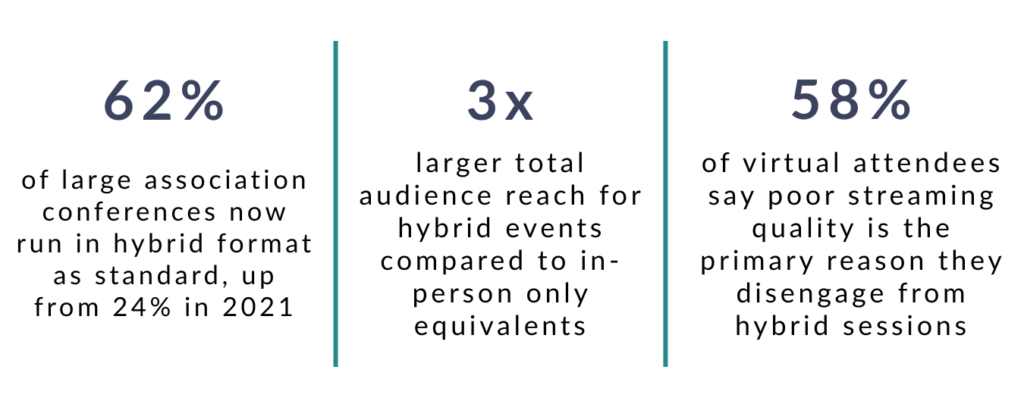
Hybrid conferences are no longer a contingency plan. For large associations, corporate event teams, and PCOs running annual conferences, a combined in-person and virtual format is now the expected default. The audiences are larger, the logistics are more complex, and the technology requirements are significantly higher than either a purely in-person or purely virtual event.
The challenge is that most event technology was built for one format or the other. Running a genuinely hybrid conference at scale — one where the virtual audience has a comparable experience to the room — requires getting a lot of moving parts right simultaneously.
This guide covers what those parts are, where the most common failures happen, and the complete technology checklist for teams planning a hybrid conference of 5,000 people or more.
What makes a 5,000-person hybrid conference different from a smaller event?
Scale introduces complexity that cannot simply be solved by using the same tools you would use for a 500-person event. At 5,000 attendees across in-person and virtual audiences, every technical failure affects a larger number of people, recovery time is limited, and the reputational impact of a poor experience is proportionally greater.
The specific challenges that emerge at scale:
- Streaming capacity: A platform that handles 200 concurrent virtual viewers without issue may degrade significantly at 2,000. Your streaming infrastructure needs to be tested and load-balanced for your actual expected audience, not an average figure.
- Registration and check-in flow: 5,000 in-person attendees arriving over a two-hour window creates a check-in challenge that requires fast, resilient badge scanning technology and a registration system that can handle concurrent access without slowdown.
- App performance: An event app serving 5,000 simultaneous users during a live poll or session check-in must be built on infrastructure that does not degrade under peak load. Test this specifically, not just average usage.
- Multi-track programme complexity: Large conferences typically run multiple simultaneous streams across several rooms. Session management, room changes, and late additions need to update in real time across the app for both in-person and virtual attendees.
- Support requirements: At 5,000 attendees, even a 1% technical issue rate means 50 people needing help simultaneously. On-site technical support staffing and a virtual help desk need to be planned accordingly.
“Scale does not just make the same problems bigger. It introduces categories of problem that simply do not exist at smaller events.”
What technology do you need to stream a hybrid conference at scale?
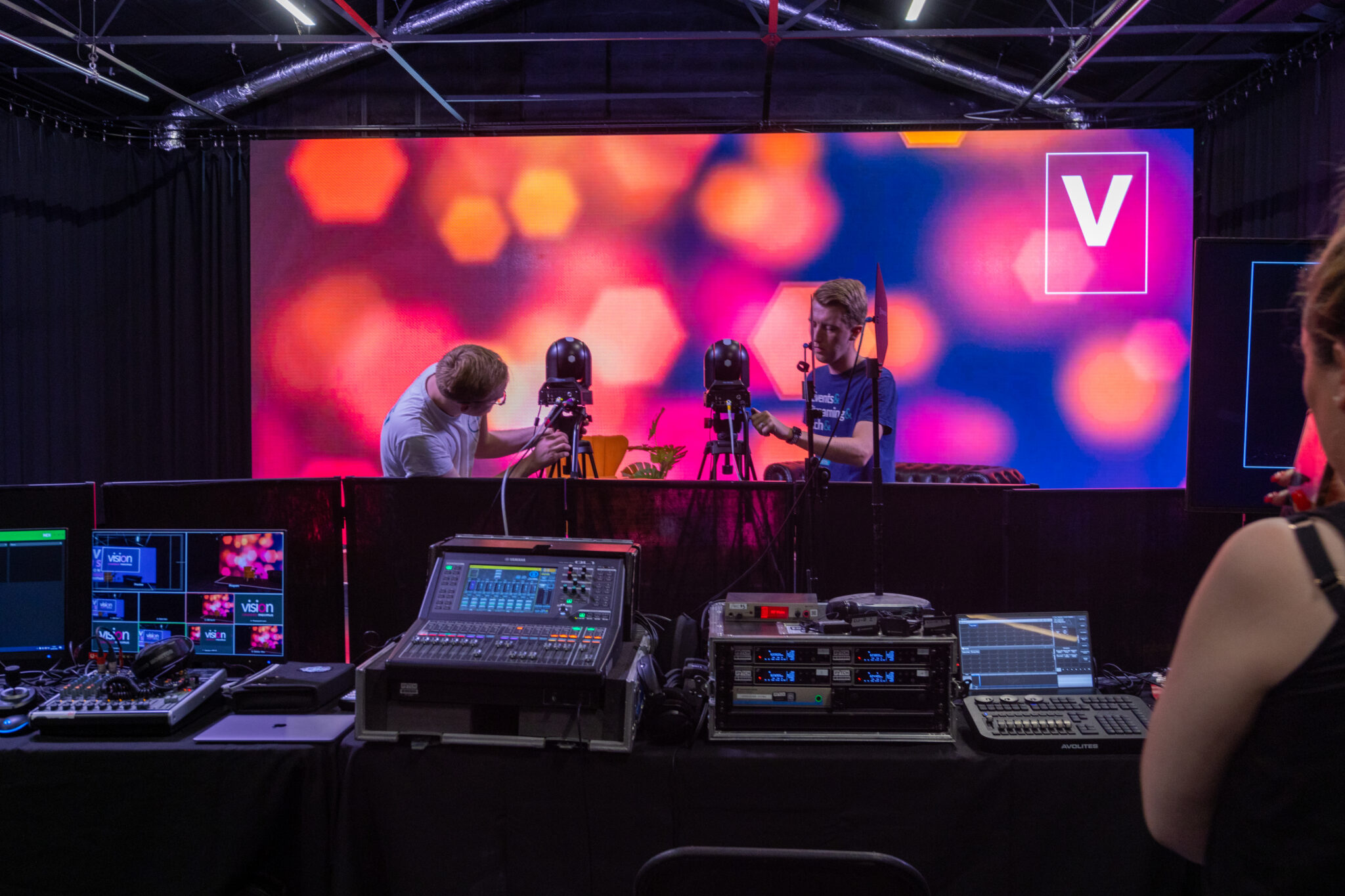
Reliable hybrid streaming at scale requires a dedicated production setup, not a plug-in webcam and a consumer streaming account. The virtual audience experience is entirely dependent on the quality of what comes out of the venue, and that quality is determined by decisions made weeks before the event opens.
STREAMING INFRASTRUCTURE ESSENTIALS
- Dedicated venue internet connection: A minimum of 50Mbps upload bandwidth per stream, on a dedicated line separate from the general event WiFi. Shared bandwidth with 5,000 attendees will degrade stream quality under peak load.
- Failover internet connection: A secondary connection from a different ISP, configured to switch automatically if the primary fails. For large conferences, this is non-negotiable.
- Professional encoder: Hardware or software encoding that converts the camera feed to a streaming-compatible format with consistent bitrate. Consumer encoders introduce quality variance that accumulates over a multi-day event.
- CDN-backed streaming platform: For virtual audiences above 500 concurrent viewers, a content delivery network distributes the stream geographically and prevents quality degradation for remote viewers. Standard streaming platforms without CDN support are unsuitable for large hybrid events.
- End-to-end production rehearsal: A full technical rehearsal of the streaming setup, including failover testing, at least one week before the event. Day-of testing is not sufficient for a conference at this scale.
How do you create a consistent experience for virtual and in-person attendees?
A consistent hybrid experience means virtual attendees can access the same content, participate in the same interactions, and make the same connections as in-person attendees, through a platform designed for both groups simultaneously. A livestream of the main stage with a chat box attached is not a hybrid event. It is a broadcast.
The features that close the gap between in-person and virtual experience:
- A single shared event app: In-person and virtual attendees use the same platform to access the agenda, build their schedule, connect with other attendees, and participate in sessions. Separate apps or portals for each audience create a divided experience.
- Live Q and A open to both audiences: Questions submitted through the app should be visible to and moderated for both in-person and virtual attendees. Virtual attendees who cannot ask questions disengage significantly faster than those who can.
- Real-time polling for both groups: Live polls during sessions should display results to both audiences simultaneously and be submittable from both the in-person app and the virtual platform.
- Virtual breakout sessions: Satellite sessions or virtual-only breakouts give the online audience an equivalent to the in-person networking and breakout experience that the main stage stream cannot replicate.
- Consistent session timing and updates: Any changes to the programme — room moves, time changes, cancellations — must push to all attendees simultaneously, not just the in-person audience through physical signage.
What does hybrid event networking look like in practice?
Hybrid networking works when in-person and virtual attendees can find, contact, and meet each other through a shared platform, not when each group is limited to networking within its own audience. The most common failure in hybrid conferences is treating in-person and virtual networking as separate programmes that happen to run alongside each other.
A genuine hybrid networking setup includes:
- A unified attendee directory: All attendees, in-person and virtual, appear in a single searchable directory with profile data, interests, and availability. Virtual attendees should not be listed separately or appear as second-class participants.
- Meeting booking across both audiences: In-person and virtual attendees can book video meetings with each other through the event app. Virtual meeting rooms should be available within the platform without requiring a separate video conferencing link.
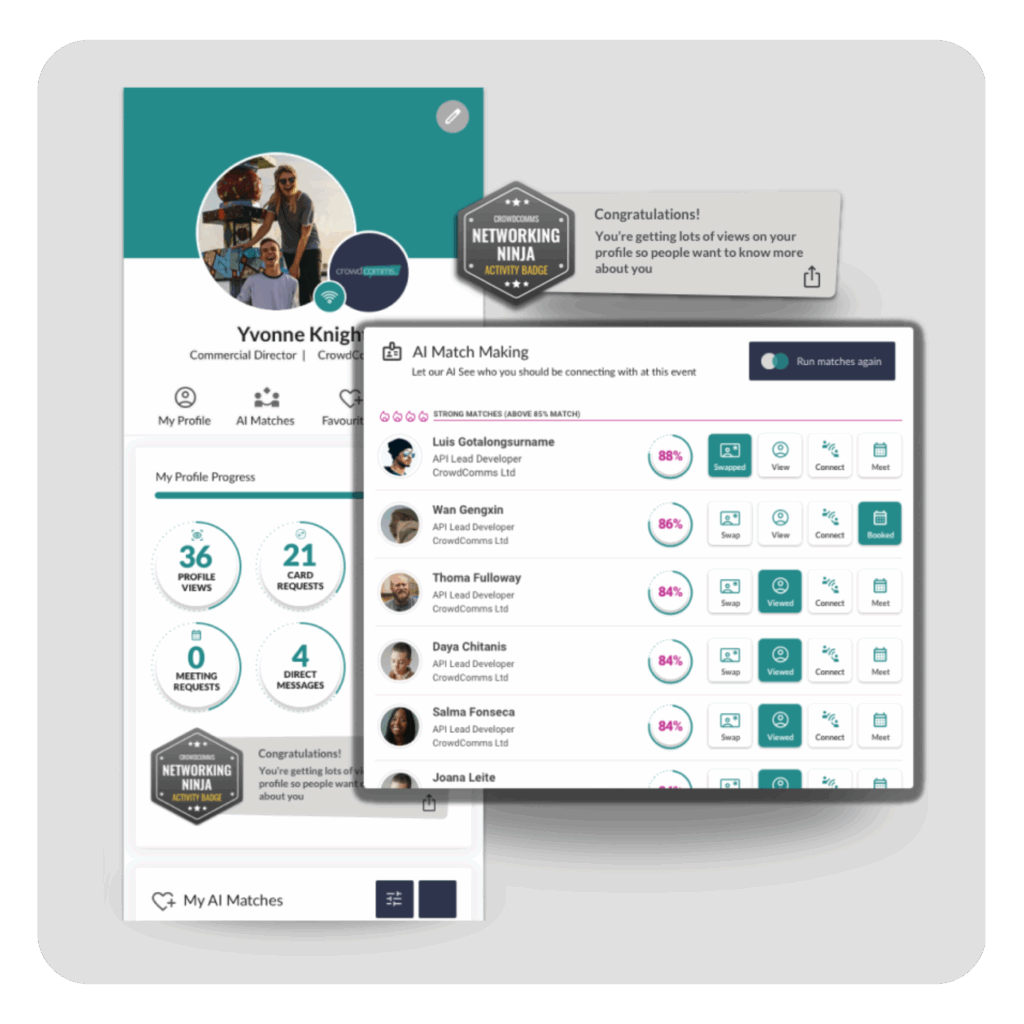
- AI matchmaking across both groups: Networking recommendations should surface relevant connections from the full attendee pool, not just the in-person or virtual segment. The most valuable connection for an in-person attendee may be a virtual delegate on the other side of the world.
- Virtual networking sessions with facilitation: Structured virtual networking sessions — speed networking rounds, topic-based tables, or facilitated introductions — give the virtual audience a networking equivalent to the coffee break and exhibition floor that in-person attendees take for granted.
“If your virtual attendees can only network with other virtual attendees, you have not built a hybrid event. You have built two separate events running at the same time.”
How do you manage content delivery and on-demand access at a hybrid conference?
Content delivery at a large hybrid conference requires planning for three distinct phases: live access during the event, on-demand access immediately after each session, and a curated archive for post-event access. Each phase has different technical requirements and different attendee expectations.
Key considerations for each phase:
- Live session access: Virtual attendees need a low-latency stream, ideally under 30 seconds behind the room, to participate meaningfully in live Q and A and polling. Higher latency makes real-time participation feel out of sync and discourages engagement.
- Same-day on-demand: Sessions made available within two to four hours of ending see significantly higher on-demand viewing than those uploaded the following day. For multi-track conferences, attendees who missed a parallel session expect to catch up the same evening.
- Post-event archive: All session recordings should be accessible through the same event app or platform portal for a defined period after the event, typically 30 to 90 days. For association conferences where CPD is a consideration, session completion tracking within the archive is essential.
- Accessibility: Captions, transcripts, and accessible video player controls are increasingly expected for virtual content and are a legal requirement in many jurisdictions for organisations serving professional members. Build these into the content workflow from the start, not as an afterthought.
What are the most common hybrid event technology failures?
Most hybrid conference technology failures are predictable and preventable, and they almost always trace back to insufficient testing, insufficient bandwidth, or insufficient staffing. The failures that surprise event teams are rarely technical surprises. They are gaps in the pre-event preparation that the event exposed.
COMMON HYBRID TECHNOLOGY FAILURES
- Stream quality degradation under load: The stream performs perfectly in testing with five concurrent viewers and fails under 2,000. Load-test your streaming platform with your actual expected virtual audience size before the event.
- Venue WiFi overload: 5,000 in-person attendees with multiple devices each can saturate a venue’s WiFi network during peak periods. Require a dedicated event network separate from general venue connectivity, and test it at full capacity before day one.
- App crashes during peak usage: Registration desk check-in, session starts, and live polls all create simultaneous spikes in app usage. Confirm your platform’s concurrent user capacity and test at the expected peak load.
- Virtual attendees locked out of interactive features: Q and A, polling, and networking features that are not properly enabled for the virtual audience segment create a two-tier experience that virtual attendees notice and report in satisfaction surveys.
- No technical support for virtual audience issues: In-person attendees can find staff at a help desk. Virtual attendees experiencing login issues, stream buffering, or access problems need a live chat or support email that is monitored during all event hours.
- Last-minute programme changes not pushed to virtual attendees: Room changes and session swaps communicated through physical signage or PA announcements in the room do not reach the virtual audience. Every programme change must be pushed through the app to all attendees simultaneously.
How do you measure success at a hybrid conference?
Success at a hybrid conference is measured separately and comparatively for in-person and virtual audiences, with a clear view of where the experiences were equivalent and where they diverged. Reporting only the combined headline attendance figure obscures the quality of the hybrid delivery.
The metrics that matter:
- Virtual stream completion rate: The percentage of virtual attendees who watched a session to completion versus those who dropped off early. A high drop-off rate in the first ten minutes of a session typically indicates a streaming quality or engagement problem, not a content problem.
- Interactive feature participation rate by audience: What percentage of in-person vs. virtual attendees participated in polls, Q and A, and networking? A significant gap indicates the virtual experience is not delivering equivalence.
- Cross-audience networking volume: How many connections were made between in-person and virtual attendees? This is the clearest measure of whether the hybrid networking infrastructure is functioning as intended.
- On-demand viewing rate: What percentage of the available session catalogue did attendees access on-demand? High on-demand viewing is a positive signal for content quality and platform usability.
- Post-event NPS by audience type: In-person and virtual NPS should be reported separately. A strong overall NPS that masks a poor virtual NPS means the hybrid delivery is failing half your audience.
How does CrowdComms support large-scale hybrid events?
CrowdComms is built to run complex, large-scale hybrid events as a single integrated platform, not as an in-person event tool with virtual features bolted on. That means one app for all attendees, one analytics dashboard for both audiences, and one team supporting the full event from registration through to post-event reporting.
For corporate event teams, associations and PCOs running hybrid at scale:
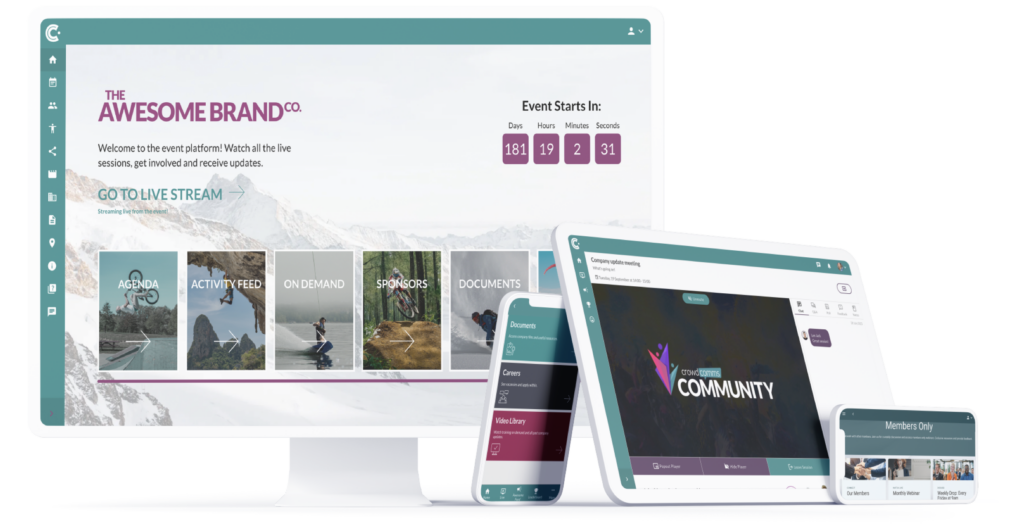
- Unified attendee platform: In-person and virtual attendees access the same branded app with the same features. No separate portal, no separate experience. Both audiences see each other in the directory, connect through the same networking tools, and participate in sessions through the same interface.
- Integrated streaming: Live session streaming, virtual breakout rooms, and on-demand content are all managed within the CrowdComms platform, removing the need for a separate streaming tool and reducing the technical integration risk.
- Real-time analytics across both audiences: A single dashboard showing session attendance, app engagement, networking activity, and interactive participation for in-person and virtual attendees simultaneously. No manual data merging after the event.
- Scalable infrastructure: The platform is tested and deployed at events with audiences of 10,000 or more. Concurrent user capacity, stream performance, and app reliability are built for scale, not retrofitted for it.
- On-site and remote support: CrowdComms provides both on-site technical support for in-person events and a monitored virtual help desk for the online audience throughout the event, so both groups have access to assistance when they need it.

The hybrid conference technology checklist
Use this checklist in the planning phase. Every item that cannot be confirmed at least four weeks before the event is a risk that needs to be resolved before day one.
PRE-EVENT TECHNOLOGY CHECKLIST
- Is your streaming platform load-tested for your expected peak virtual audience size, not average usage?
- Does your venue provide a dedicated event internet connection separate from general venue WiFi, with a confirmed minimum upload bandwidth per stream?
- Is a failover internet connection from a separate ISP configured and tested?
- Does your event app serve in-person and virtual attendees on a single unified platform, with shared directory, networking, and interactive features?
- Can virtual attendees participate in live Q and A and polling in real time, with results visible to both audiences simultaneously?
- Is a cross-audience networking tool in place that enables in-person and virtual attendees to find and meet each other?
- Are same-day on-demand session recordings planned, with a target upload window of two to four hours post-session?
- Is a live virtual help desk or support channel monitored throughout all event hours?
- Does your programme management system push real-time updates to all attendees simultaneously, including room changes and time amendments?
- Are post-event NPS surveys segmented to capture in-person and virtual audience responses separately?
Talk to the team
Frequently Asked Questions
A mobile event app is a mobile or web-based application that supports event attendees with agendas, engagement tools, content, notifications and interaction.
The best event app depends on your goals. For engagement-led events, specialist mobile event apps often outperform all-in-one platforms.
Attendees use event apps that are intuitive, interactive and relevant to their experience. Are event apps dead? Definitely not. Read or watch our 2025 Event Advice on event apps.
Yes, modern event platforms support in-person, hybrid and virtual attendees through mobile and web-based access.
Related Articles:
Event attendance tracking has rapidly evolved from a simple headcount to one of the most