How to Optimise Your Event App for Attendees
You’ve built the agenda, briefed the speakers and sent the invitations. Now the question is whether attendees will actually use your event app. The difference between an app that’s downloaded and forgotten and one that’s opened again and again is rarely a single feature. It’s a series of small decisions, made before, during and after the event. This guide walks through each of them, so you can optimise your event app for the people it’s built for.
IN THIS GUIDE
- What does it mean to optimise your event app?
- How do you make the first login effortless?
- How do you make the app useful from the first screen?
- What should an event app for conferences include?
- How do you keep attendee engagement going during the event?
- How do you measure event app adoption and engagement?
- Event app optimisation checklist
What does it mean to optimise your event app?
Quick answer: it means designing every step of the attendee journey, from the first email to the last session, so that using the app is easy, useful and worth repeating.
Optimising an event app isn’t about adding features. It’s about removing friction and adding relevance. An attendee will give your app a few seconds at first. If those seconds go well, they’ll keep coming back. If they don’t, the app stays on the home screen, unopened.
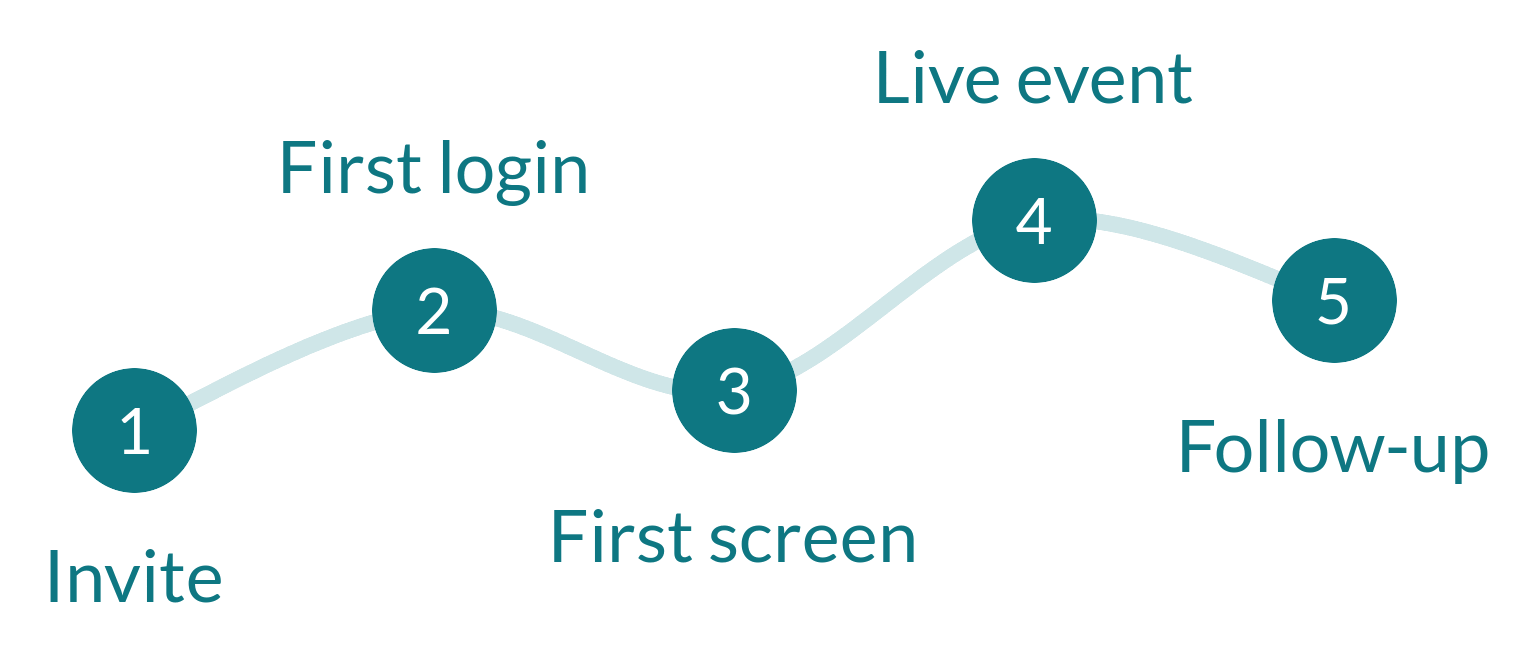
THE FOUR PLACES TO OPTIMISE
- Before the event: explain what the app does and make access simple
- First login: get people in quickly, with as few steps as possible
- First screen: show something personal and useful straight away
- During the event: keep people informed and involved, without overwhelming them
A great app earns its second open in the first thirty seconds.
How do you make the first login effortless?
Quick answer: keep the first login as short as possible, tell attendees exactly what to expect, and explain the app before they have to download it.
Event app onboarding starts here, and the first login is where most apps lose people. Attendees are busy, and every extra step is a reason to put it off. Our guide to why event apps lose attendees before the first session covers the problem in detail. The fixes are practical.
YOUR ACTION CHECKLIST: FIRST LOGIN
- Keep the first login short: limit access to registered attendees, so they sign in with the email address they registered with
- Tell attendees in advance that they’ll set a password on their first login, so it isn’t a surprise
- Tell attendees how to access the app: download, web browser or both
- Send a pre-event email explaining three specific things the app will do for them
- Include a link to the app in the confirmation and reminder emails
- Check login rates before the event and follow up with people who haven’t signed in
HOW THIS WORKS IN PRACTICE
- With CrowdComms, attendees can use the event app as a native app, a PWA or in a web browser, so there’s a simple answer to “do I need to download it?”
- CrowdComms offers secure login for attendees loaded from registration, with optional email validation by emailed link, so access stays limited to the people you invited
- Dashboards show how many attendees have logged in and who is using the app, so you can chase non-starters while there’s still time
Our recommendation: treat the pre-event email as part of the app. The best onboarding often happens in the inbox, before the download.
How do you make the app useful from the first screen?
Quick answer: pre-fill the profile, pre-build the agenda and show one clear next step, rather than a feature tour.
When attendees open the app for the first time, they should see their own event, not an empty one. Every field they have to fill in, and every screen they have to swipe past, costs attention.
YOUR ACTION CHECKLIST: FIRST SCREEN
- Pre-populate each attendee’s profile from the details you already hold
- Pre-build each person’s agenda, so the first screen already shows their sessions
- Show one relevant action on first launch, such as “see your next session”
- Explain in your pre-event email why notifications are worth allowing, as the app asks for permission on first use
- Keep branding consistent with the invitation and registration pages, so the app feels familiar
HOW THIS WORKS IN PRACTICE
- CrowdComms event apps are fully branded, with your colours, logos, fonts and layouts, so the app feels like part of the same event
- Personalised agendas and session reminders are built in, so attendees see their own sessions first
- Profiles can be built from details you already hold: a registration form field can populate the About section, and a LinkedIn link can pull in a bio, title and company
Small friction at the first login is the most expensive friction of all.
Our recommendation: ask what the attendee needs in the first minute, not what you want to show them.

What should an event app for conferences include to be worth opening?
Quick answer: a personalised agenda, easy ways to meet the right people, live interaction in sessions, timely updates, and one place for everything attendees need.
Attendees open a conference app repeatedly when it solves a problem for them in the moment. For conferences, that usually means knowing where to go next, meeting the right people and staying in the loop. Strong event app engagement starts with those three jobs.
FEATURES THAT EARN REPEAT OPENS
- A personalised agenda with session reminders
- Networking that makes it easy to find and meet relevant people
- Live polls, Q&A and games that make sessions interactive
- Real-time updates when rooms, times or speakers change
- A resource library for slides, videos and documents
- Lead capture for exhibitors, so sponsors see value too
HOW THIS WORKS IN PRACTICE
- CrowdComms includes built-in networking with chat, meetings and contact exchange, and AI-powered matchmaking that suggests connections
- Live polls, Q&A, custom challenges and event games, and a resource library for videos and documents are part of the app
- Exhibitor lead capture works through QR code scanning
- Real-time session and speaker updates keep attendees informed as plans change
Our recommendation: pick two or three features that match your event’s goals and make them excellent, rather than switching on everything.

How do you keep attendee engagement going during the event?
Quick answer: send fewer, more relevant notifications, give people reasons to interact in sessions, and use what you see in real time.
Once attendees are in the app, the goal is to be helpful, not noisy. A notification that tells someone their session starts in ten minutes is useful. One that goes to everyone about something that affects only a few is how people turn notifications off.
YOUR ACTION CHECKLIST: DURING THE EVENT
- Send push notifications to the groups they matter to, rather than broadcasting to everyone
- Use notifications for things that change a decision: room changes, session starts, networking opportunities
- Add live polls or Q&A to the sessions where you want more interaction
- Give exhibitors and sponsors a simple way to capture leads, so they have a reason to promote the app too
- Watch engagement as it happens, and adjust your plan day by day
- Remind attendees where to find slides, recordings and resources afterwards
HOW THIS WORKS IN PRACTICE
- CrowdComms push notifications can go to everyone or to selected groups of attendees
- Live user tracking and reporting dashboards show who is using the app and which features they use, so you can see what’s working during the event, not after it
The best notification is the one the attendee was glad to get.
Our recommendation: agree a notification plan with your team before the event, including who can send, what’s worth sending and how often.
How do you measure event app adoption and engagement?
Quick answer: set an adoption target before the event, then track logins, activity and interaction, so you can improve in real time and learn for next time.
Measuring an event app isn’t only a post-event exercise. The most useful numbers are the ones you can still act on.
WHAT TO MEASURE
- Adoption: login rate before the event, active users during it, and how many attendees return across days
- Engagement: session views, networking activity and poll participation
- Sponsor value: exhibitor interactions and leads captured
- Feedback: what attendees said they liked and what they didn’t use
CrowdComms provides reporting dashboards and app analytics covering usage, session views, networking activity, sponsor interactions and challenge participation, so you can follow adoption and engagement in one place.
Our recommendation: set your adoption target before the event, and review it daily in the lead-up, while there’s still time to nudge people.

Choosing a new app? Our comparison of the best event apps in 2026 and guide to choosing the best event app can help.
Event app optimisation checklist
BEFORE YOUR NEXT EVENT, CHECK:
- Attendees know how to access the app and what it will do for them
- The first login is short, and attendees know what to expect
- Each attendee’s first screen shows their own agenda
- Profiles are pre-filled from details you already hold
- Notifications go to the right groups, and attendees know why it’s worth allowing them
- You’ve chosen two or three features to focus on and made them excellent
- Exhibitors and sponsors have a simple way to capture leads
- Adoption is monitored daily, with a target set in advance
- Resources and recordings are easy to find after the event
Built For Attendees. Ready To Use.
Speak to the CrowdComms team today to see how our branded event app can help your attendees log in quickly, find what matters and keep coming back.

Built For Every Type Of Event.
Designed For Every Kind Of Event Planner.